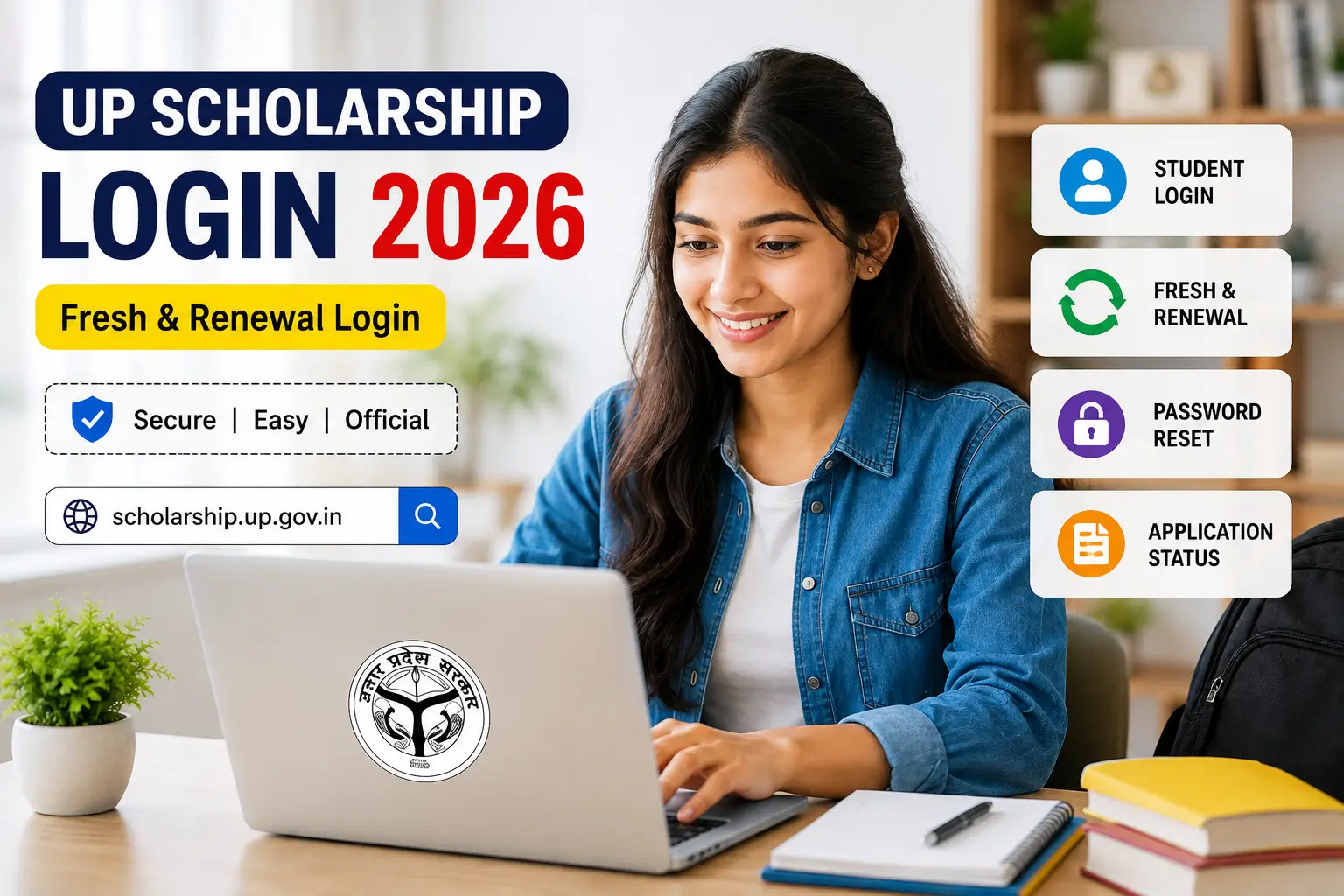
UP Scholarship Login 2026 के जरिए छात्र अपने Scholarship Application Form को complete करने, जरूरी जानकारी update करने, documents submit करने और application से जुड़े काम पूरे कर सकते हैं। UP Scholarship Portal पर Fresh और Renewal candidates के लिए अलग-अलग Login options दिए जाते हैं।
सत्र 2026-27 के लिए Pre-Matric और Post-Matric scholarship process से जुड़े login/application की शुरुआत 11 August 2026 से होने की जानकारी उपलब्ध है। वहीं Post-Matric Other Than Intermediate यानी Dashmottar category के लिए process 15 September 2026 से शुरू होने की जानकारी दी गई है।
Official Scholarship Portal:
scholarship.up.gov.in — Official UP Scholarship Portal
UP Scholarship Login 2026 Overview
| Particular | Details |
|---|---|
| Scholarship | UP Scholarship 2026-27 |
| Login Type | Fresh & Renewal |
| Pre-Matric | Class 9 & 10 |
| Intermediate | Class 11 & 12 |
| Post-Matric Other Than Inter | UG, PG, Diploma & Other Courses |
| Other State | Eligible students under applicable scheme |
| Registration | Online |
| OTR | Required as applicable |
| Official Website | scholarship.up.gov.in |
| Academic Session | 2026-27 |
UP Scholarship Portal पर अलग-अलग student categories के लिए Fresh Login और Renewal Login options उपलब्ध होते हैं।
UP Scholarship Login 2026 Date
2026-27 session के लिए उपलब्ध published schedule के अनुसार:
| Category | Application/Login Start | Fresh Last Date |
|---|---|---|
| Pre-Matric Class 9-10 | 11 August 2026 | 21 September 2026 |
| Post-Matric Intermediate Class 11-12 | 11 August 2026 | 21 September 2026 |
| Post-Matric Other Than Intermediate | 15 September 2026 | 31 October 2026 |
| Dashmottar | 15 September 2026 | 31 October 2026 |
इन dates को publish करते समय official notification/portal पर latest schedule जरूर cross-check करें, क्योंकि scholarship timelines category-wise अलग हो सकती हैं। Current 2026-27 published information भी Pre/Post-Matric और Dashmottar के लिए अलग timelines दिखाती है।
What is UP Scholarship Login?
UP Scholarship Login वह online facility है जिसके जरिए registered students अपने scholarship account में प्रवेश करके application से संबंधित जरूरी काम कर सकते हैं।
Login के बाद छात्र, applicable options के अनुसार:
- Scholarship Application Form भर सकते हैं
- Personal Details check कर सकते हैं
- Educational Details update कर सकते हैं
- Documents से संबंधित जानकारी complete कर सकते हैं
- Application submit कर सकते हैं
- Application का print निकाल सकते हैं
- Correction window में बदलाव कर सकते हैं
- Application progress/status देख सकते हैं
इसलिए Registration के बाद Login process scholarship application का सबसे महत्वपूर्ण चरण है।
Fresh Login and Renewal Login Difference
UP Scholarship Portal पर Fresh और Renewal Login का उद्देश्य अलग है।
Fresh Login उन students के लिए होता है जो संबंधित scholarship session में नया application कर रहे हैं।
Renewal Login उन students के लिए होता है जिन्होंने पहले scholarship application किया था और अगले academic year में scholarship continue करने के लिए renewal application भरना है।
गलत Login option चुनने पर application access में समस्या आ सकती है। इसलिए Login करने से पहले अपनी category और application type ध्यान से select करें।
UP Scholarship Fresh Login 2026
Fresh Login का उपयोग नए scholarship applicants द्वारा किया जाता है।
Fresh Login में category के अनुसार अलग-अलग options दिखाई दे सकते हैं:
- Pre-Matric Student Login
- Intermediate Student Login
- Post-Matric Other Than Inter Student Login
- Post-Matric Other State Student Login
Current published guidance भी इन चार major Fresh Login categories को list करती है।
How to Login for UP Scholarship Fresh Application?
Fresh candidate के लिए सामान्य Login process इस प्रकार है:
सबसे पहले Official UP Scholarship Portal खोलें।
Open Official Scholarship Portal
इसके बाद Student section में जाएं।
अब Fresh Login option select करें।
अपनी scholarship category के अनुसार Login option चुनें।
उदाहरण के लिए:
Class 9-10: Pre-Matric Student Login
Class 11-12: Intermediate Student Login
UG/PG/Diploma: Post-Matric Other Than Inter Student Login
इसके बाद Login page पर मांगी गई जानकारी दर्ज करें।
आमतौर पर Registration Number, Date of Birth, Password और Captcha जैसी details की आवश्यकता होती है। OTR-based process लागू होने पर OTR से संबंधित information भी उपयोग की जा सकती है।
अब Submit पर क्लिक करें।
यदि details सही हैं तो आपका student dashboard खुल जाएगा।
UP Scholarship Renewal Login 2026
Renewal candidates के लिए Renewal Login option का इस्तेमाल किया जाता है।
Renewal का मतलब है कि छात्र पिछले academic session में scholarship application कर चुका है और वर्तमान session में scholarship को continue करने के लिए आवेदन कर रहा है।
Renewal Login में भी category के अनुसार options दिए जा सकते हैं:
- Pre-Matric Renewal
- Intermediate Renewal
- Post-Matric Other Than Intermediate Renewal
- Other State Renewal
Current 2026-27 guidance में Fresh और Renewal दोनों के लिए अलग Login routes बताए गए हैं।
How to Login for UP Scholarship Renewal?
सबसे पहले Official Scholarship Portal खोलें।
Student section में जाकर Renewal Login चुनें।
अब अपनी category के अनुसार सही option select करें।
इसके बाद Login page पर required details दर्ज करें।
Registration Number, Date of Birth, Password और Captcha जैसी information को carefully enter करें।
Submit करने के बाद successful authentication होने पर Renewal Dashboard खुल सकता है।
इसके बाद previous application से संबंधित information check करें और current academic year की आवश्यक details update करें।
UP Scholarship Login After OTR Registration
2026-27 scholarship process में OTR एक महत्वपूर्ण step है।
यदि आपके लिए OTR registration applicable है, तो Scholarship Application से पहले OTR process पूरा करना होगा।
सामान्य flow इस प्रकार समझें:
OTR → Registration → Login → Application Form → Verification → Status → Payment
OTR पूरा होने के बाद student को प्राप्त OTR information सुरक्षित रखनी चाहिए।
हमारी detailed OTR guide:
UP Scholarship OTR Registration 2026 — इसमें OTR Registration, Aadhaar Verification, OTR Number और Registration Process की पूरी जानकारी दी गई है।
What Details Are Required for UP Scholarship Login?
Login करते समय required information आपकी selected category और portal के current Login page के अनुसार अलग हो सकती है।
आमतौर पर निम्न details में से कुछ information मांगी जा सकती है:
- Registration Number
- OTR Number
- Date of Birth
- Password
- Captcha
- अन्य verification details
Login करने से पहले Registration Number और Password सुरक्षित रखना बहुत जरूरी है।
UP Scholarship Login for Class 9 and 10
Class 9 और 10 के students सामान्यतः Pre-Matric Scholarship category में आते हैं।
इन students को Student Login section में जाकर Pre-Matric Student Login select करना चाहिए।
इसके बाद portal पर मांगी गई Login details दर्ज करके dashboard access किया जा सकता है।
UP Scholarship Login for Class 11 and 12
Class 11 और 12 के students के लिए Intermediate Student Login option इस्तेमाल किया जाता है।
यह Post-Matric Intermediate category से संबंधित है।
Student section में Fresh या Renewal के अनुसार सही Login option चुनें और फिर मांगी गई credentials enter करें।
UP Scholarship Login for UG, PG and Diploma Students
Graduation, Post-Graduation, Diploma और अन्य eligible courses के students के लिए सामान्यतः Post-Matric Other Than Inter category relevant होती है।
इस category में course के अनुसार अलग-अलग students scholarship application process में शामिल हो सकते हैं।
Login करते समय सही course/category select करना महत्वपूर्ण है।
UP Scholarship Other State Student Login
Portal पर eligible Other State students के लिए भी अलग Login option उपलब्ध हो सकता है।
यदि आपका application Other State category के अंतर्गत आता है, तो सामान्य Post-Matric Login के बजाय संबंधित Other State Student Login option select करें।
गलत category चुनने पर Login या application access में समस्या आ सकती है।
Forgot UP Scholarship Password
अगर आप UP Scholarship Login Password भूल गए हैं तो Login page पर उपलब्ध Forgot Password option का इस्तेमाल किया जा सकता है।
सामान्य process:
- Official Scholarship Portal खोलें।
- Student Login section में जाएं।
- Fresh या Renewal Login चुनें।
- अपनी applicable category select करें।
- Login page पर Forgot Password option देखें।
- मांगी गई details enter करें।
- Verification पूरा करें।
- Password retrieve/reset करने की प्रक्रिया पूरी करें।
Current published guidance के अनुसार Forgot Password process में application type, course type, registration number, date of birth, high-school roll number, passing year और captcha जैसी जानकारी मांगी जा सकती है। Portal पर दिखाई देने वाले current fields को ही final मानें।
UP Scholarship Login Not Working
कई बार सही details होने के बावजूद Login नहीं हो पाता। इसके पीछे कई कारण हो सकते हैं।
सबसे पहले यह check करें कि आपने:
- सही Login category चुनी है
- सही Registration Number डाला है
- सही Password enter किया है
- Date of Birth सही दर्ज की है
- Captcha सही भरा है
- सही academic session select किया है
इसके बाद भी समस्या हो तो browser refresh करके दोबारा कोशिश करें।
UP Scholarship Invalid Password Error
यदि portal Invalid Password दिखा रहा है तो सबसे पहले Password दोबारा check करें।
Caps Lock, extra spaces और गलत characters की वजह से भी Login fail हो सकता है।
यदि Password याद नहीं है, तो बार-बार गलत Password डालने के बजाय Forgot Password option का उपयोग करें।
UP Scholarship Session Expired Problem
यदि Login के दौरान Session Expired दिखाई देता है, तो page को दोबारा open करके Login करें।
Long periods तक page inactive रखने से session expire हो सकता है।
Stable Internet Connection का इस्तेमाल करें और application भरते समय बहुत लंबे समय तक page idle न छोड़ें।
UP Scholarship Login Captcha Error
Captcha error आने पर नया Captcha generate करें और दिखाई दे रहे characters को ध्यान से enter करें।
अगर Captcha बार-बार गलत दिखाई दे रहा है तो:
- Page refresh करें
- नया Captcha लें
- Browser cache check करें
- दूसरे updated browser से try करें
UP Scholarship Login के बाद क्या करें?
Successful Login के बाद dashboard पर उपलब्ध instructions को ध्यान से पढ़ें।
यदि application incomplete है तो pending sections complete करें।
अपनी:
- Personal Information
- Academic Details
- Institution Details
- Bank Details
- Fee Details
- Required Documents
को carefully verify करें।
Final submission से पहले सभी information documents के अनुसार मिलाना जरूरी है।
UP Scholarship Application Submit After Login
Login के बाद application form complete करने के पश्चात final submission की प्रक्रिया पूरी करें।
Submit करने से पहले:
- Name
- Date of Birth
- Category
- Course
- Institution
- Bank Account
- Fee Details
- Academic Information
जैसी महत्वपूर्ण जानकारी दोबारा check करें।
Final submission के बाद application का printout या digital copy सुरक्षित रखना बेहतर है।
UP Scholarship Login and Application Status
Application submit करने के बाद छात्र अपने application की progress track कर सकते हैं।
Status check करते समय application किस stage पर है, यह देखना महत्वपूर्ण है।
हमारा dedicated article:
UP Scholarship Status 2026
यह article application status, verification और payment-related tracking के लिए उपयोगी रहेगा।
Common UP Scholarship Login Mistakes
Login करते समय इन गलतियों से बचें:
- गलत Fresh/Renewal option चुनना
- गलत course category select करना
- Registration Number गलत डालना
- Password में typo करना
- Captcha गलत भरना
- गलत academic session select करना
- दूसरे student की Login details इस्तेमाल करना
- Unofficial website से Login करने की कोशिश करना
सबसे सुरक्षित तरीका यही है कि Login हमेशा Official UP Scholarship Portal से करें।
UP Scholarship Login 2026 Important Tips
अपनी Login details किसी दूसरे व्यक्ति के साथ share न करें।
Cyber Café से Login करने के बाद Logout जरूर करें।
OTR Number, Registration Number और Password को सुरक्षित स्थान पर रखें।
Application submission की receipt save करें।
Scholarship Portal पर आने वाले correction और verification updates को regularly check करते रहें।
किसी अनजान website को Aadhaar, OTP, Password या Bank Details न दें।
UP Scholarship Login 2026 Important Links
Official UP Scholarship Portal:
scholarship.up.gov.in
UP Scholarship OTR Registration:
Official portal के Student/OTR section से access करें।
UP Scholarship Status:
Official portal पर Student/Status section से check करें।
PFMS Payment Status:
PFMS Official Portal
Frequently Asked Questions
What is UP Scholarship Login 2026?
UP Scholarship Login 2026 वह online facility है जिसके जरिए registered students scholarship application को access, complete, update और track कर सकते हैं।
How can I login to UP Scholarship 2026?
Official website scholarship.up.gov.in खोलें, Student section में जाएं और अपनी category के अनुसार Fresh या Renewal Login select करें।
Is OTR required for UP Scholarship Login?
2026-27 process में OTR registration महत्वपूर्ण step है और applicable students को application process से पहले OTR पूरा करना पड़ सकता है।
What is Fresh Login in UP Scholarship?
Fresh Login उन students के लिए है जो संबंधित session में नया scholarship application कर रहे हैं।
What is Renewal Login?
Renewal Login उन students के लिए है जो पिछले scholarship application को current academic session में continue करने के लिए renewal application कर रहे हैं।
How can I reset my UP Scholarship password?
अपने applicable Login page पर जाकर Forgot Password option चुनें और portal द्वारा मांगी गई verification details के माध्यम से password reset/retrieve करें।
Which Login should Class 9 students use?
Class 9 students के लिए Pre-Matric Student Login option relevant है।
Which Login should Class 11 students use?
Class 11 students के लिए Intermediate Student Login option relevant है।
Which Login should UG students use?
UG students के लिए सामान्यतः Post-Matric Other Than Inter Login category relevant होती है।
What should I do if UP Scholarship Login is not working?
अपनी category, Registration Number, Password, Date of Birth और Captcha check करें। समस्या जारी रहने पर official portal पर दोबारा प्रयास करें।
Can I login from mobile?
हाँ, Scholarship Portal को mobile browser से access किया जा सकता है। बेहतर experience के लिए updated browser और stable internet connection इस्तेमाल करें।
How often should I check my scholarship account?
Application submission के बाद Portal पर समय-समय पर Login करके status, correction और verification updates check करना बेहतर है।
Conclusion
UP Scholarship Login 2026 scholarship application process का महत्वपूर्ण हिस्सा है। Fresh और Renewal students को अपनी category के अनुसार सही Login option select करना चाहिए और OTR, Registration Number, Password जैसी credentials सुरक्षित रखनी चाहिए।
Login करते समय सबसे महत्वपूर्ण बात यह है कि किसी third-party website की बजाय हमेशा Official UP Scholarship Portal का इस्तेमाल करें।
2026-27 session के लिए Pre-Matric और Post-Matric process की शुरुआत 11 August 2026 से और Dashmottar process की शुरुआत 15 September 2026 से होने की current published information उपलब्ध है। Dates में बदलाव होने की स्थिति में official portal पर latest notice को final माना जाना चाहिए।
Official Portal: scholarship.up.gov.in
UP Scholarship 2026 Related Articles
Scholarship application, OTR registration, login और status से जुड़ी सभी महत्वपूर्ण जानकारी एक जगह देखें।